 INSTR. 02
StageTimer
Professional stage countdown & event timing software for live AV. Keep presenters on schedule, keep production teams synced, and run flawlessly timed live events. StageTimer2 is the flexible, high-visibility stage clock software built natively for macOS and controlled effortlessly from anywhere in the venue.
Designed for live event producers & AV technicians
When you're running a multi-speaker conference, a live show, or a complex corporate event, timing isn't just a detail — it's the entire show. StageTimer2 gives front-of-house (FOH) operators total command over the clock.
Multi-timer & time-of-day displays
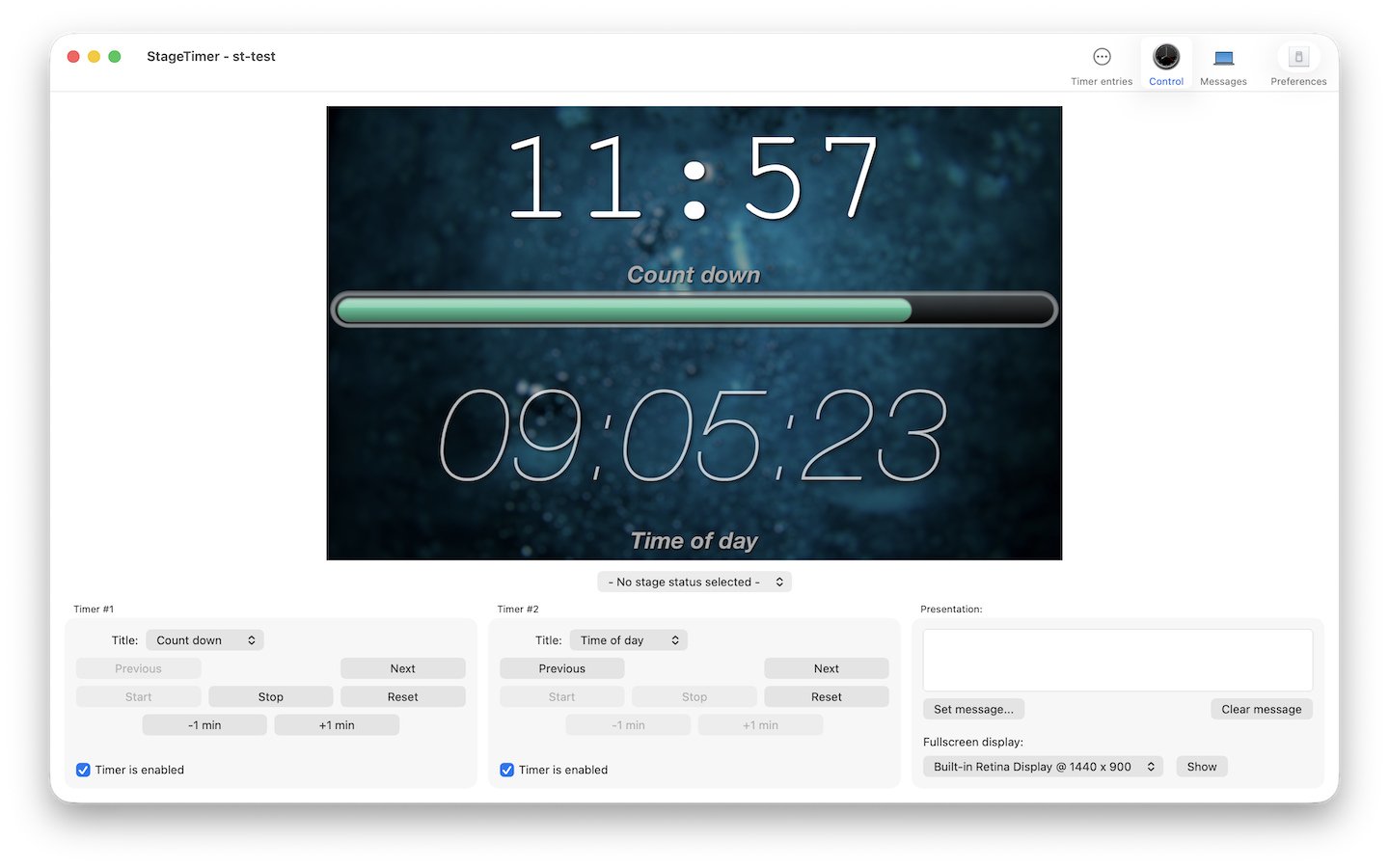
Route clean, high-contrast timers directly to stage monitors, confidence screens, or teleprompters. Show counts down, counts up, or current time-of-day clocks with custom fonts, layout sizes, and background colors to ensure zero confusion for speakers on stage.
Remote control via OSC, Bitfocus Companion & network apps
Integrate StageTimer2 into your existing broadcast or staging workflow. Trigger timers, change speaker cues, and pause counts seamlessly over the local network using OSC (Open Sound Control), Bitfocus Companion, MIDI, or custom AppleScript macros.
Custom cues, color warnings & live operator messages
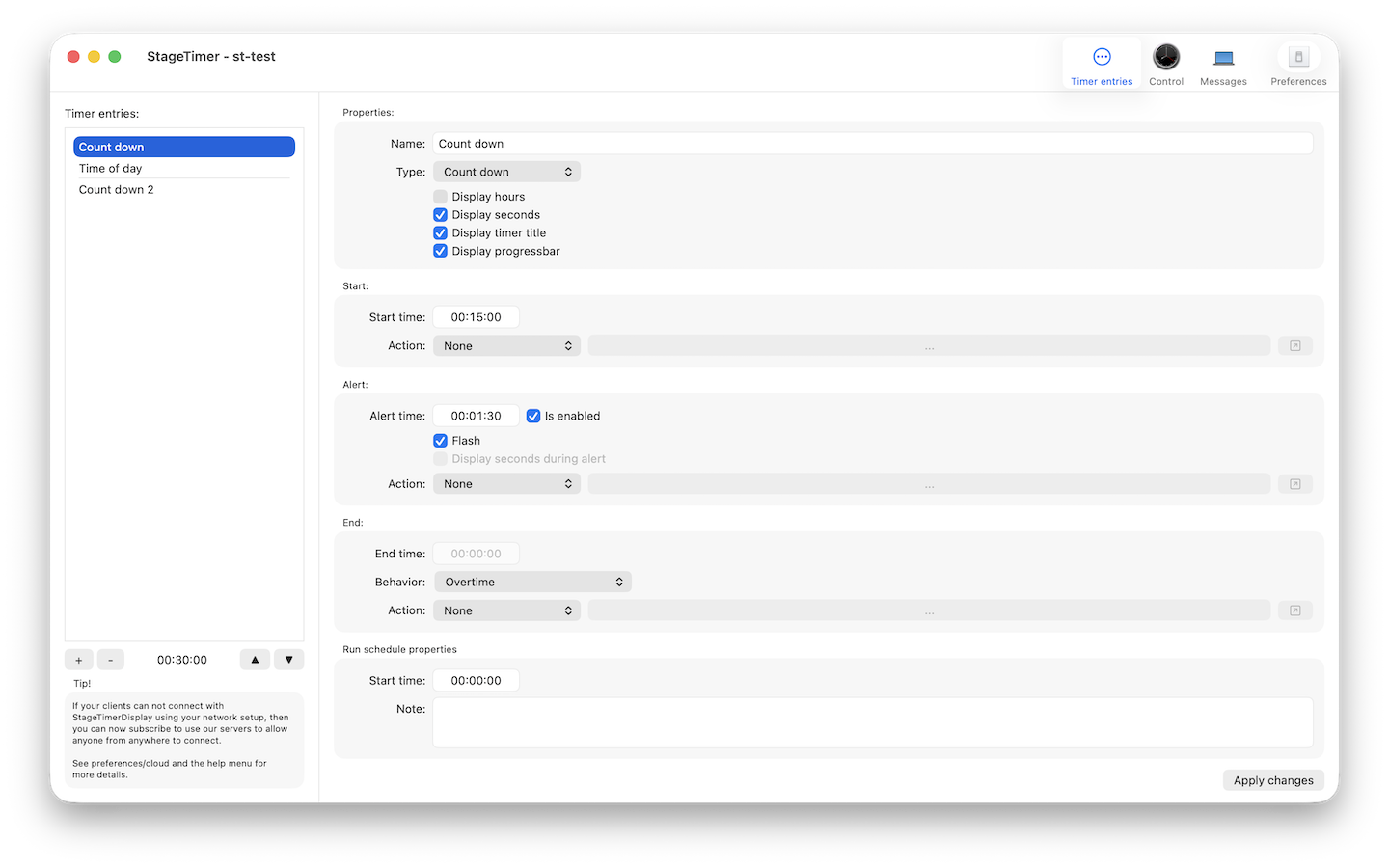
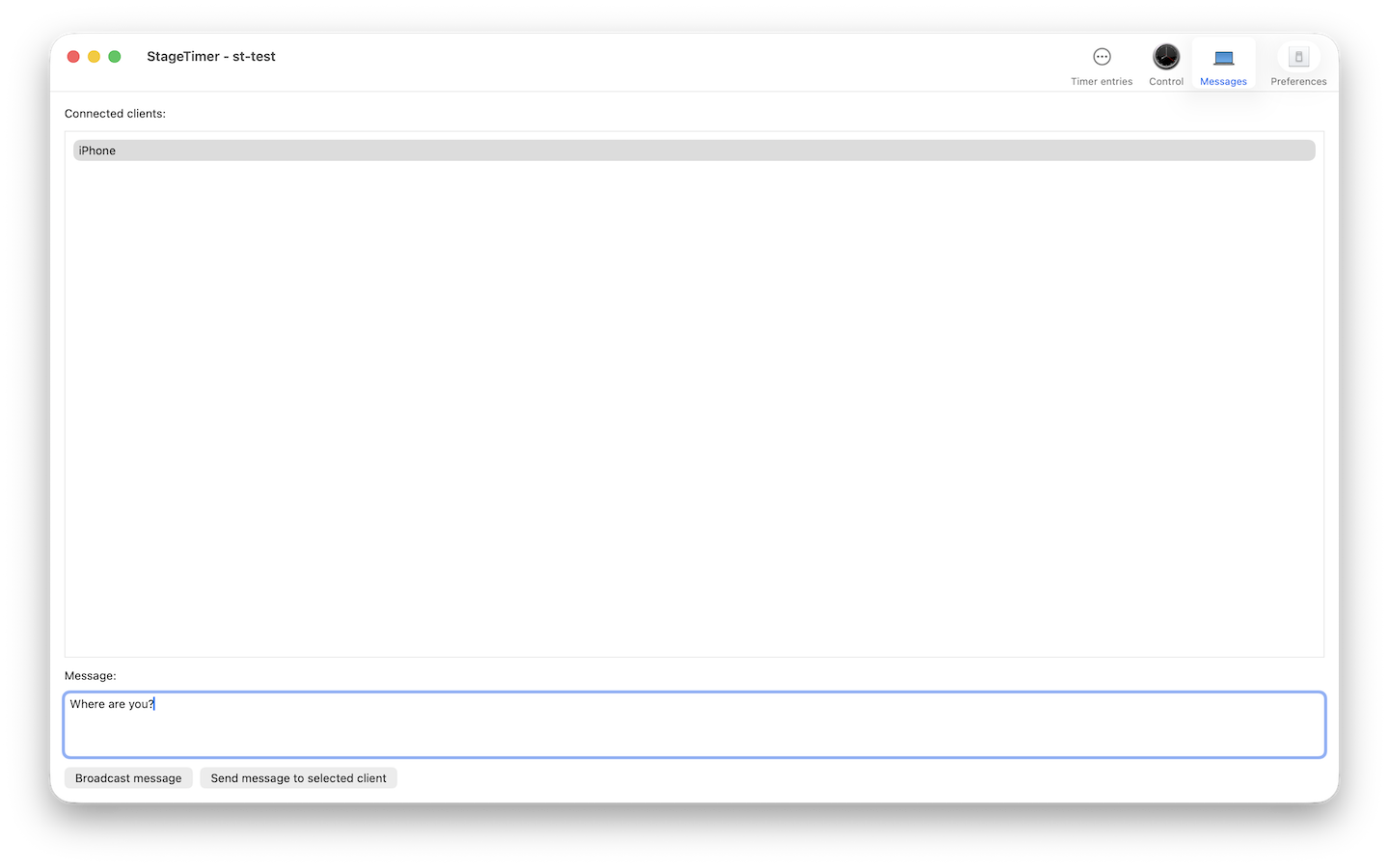
Warn speakers as their time winds down with automated visual cues — such as flashing background colors or custom warning thresholds (e.g. turning yellow at 5 minutes, red at 1 minute). Push real-time, custom text messages like "Wrap it up" or "Q&A Next" directly to the stage display.
Built for every live production environment
Corporate conferences & keynotes
Avoid run-over costs by keeping keynotes, panels, and breakout sessions strictly on schedule.
Houses of worship
Coordinate sermon lengths, band transitions, and live stream timing cues seamlessly.
Live broadcast & streaming
Sync studio presenters, commercial breaks, and segment cues with frame-accurate precision.
AV rental & production houses
Depend on robust, native macOS software that won't crash when connected to multiple external displays.
Frequently asked questions
Does StageTimer2 support Bitfocus Companion and OSC controls?
Yes. StageTimer2 features comprehensive OSC implementation, allowing you to trigger start, stop, pause, reset, and timer selection commands directly from Bitfocus Companion, Stream Deck controllers, or external AV automation hardware.
Can crew members view the stage clock on mobile devices?
Yes. Using the StageTimer2 network companion feature, crew members, stage managers, and producers can monitor the live clock status from smartphones or tablets over the local Wi-Fi network without occupying extra hardware display outputs.
What are the system requirements for StageTimer2?
StageTimer2 runs natively on macOS (supporting both Apple Silicon M-series chips and Intel processors). It requires minimal system resources, making it ideal to run alongside other live event tools on your production laptop.
In the venue